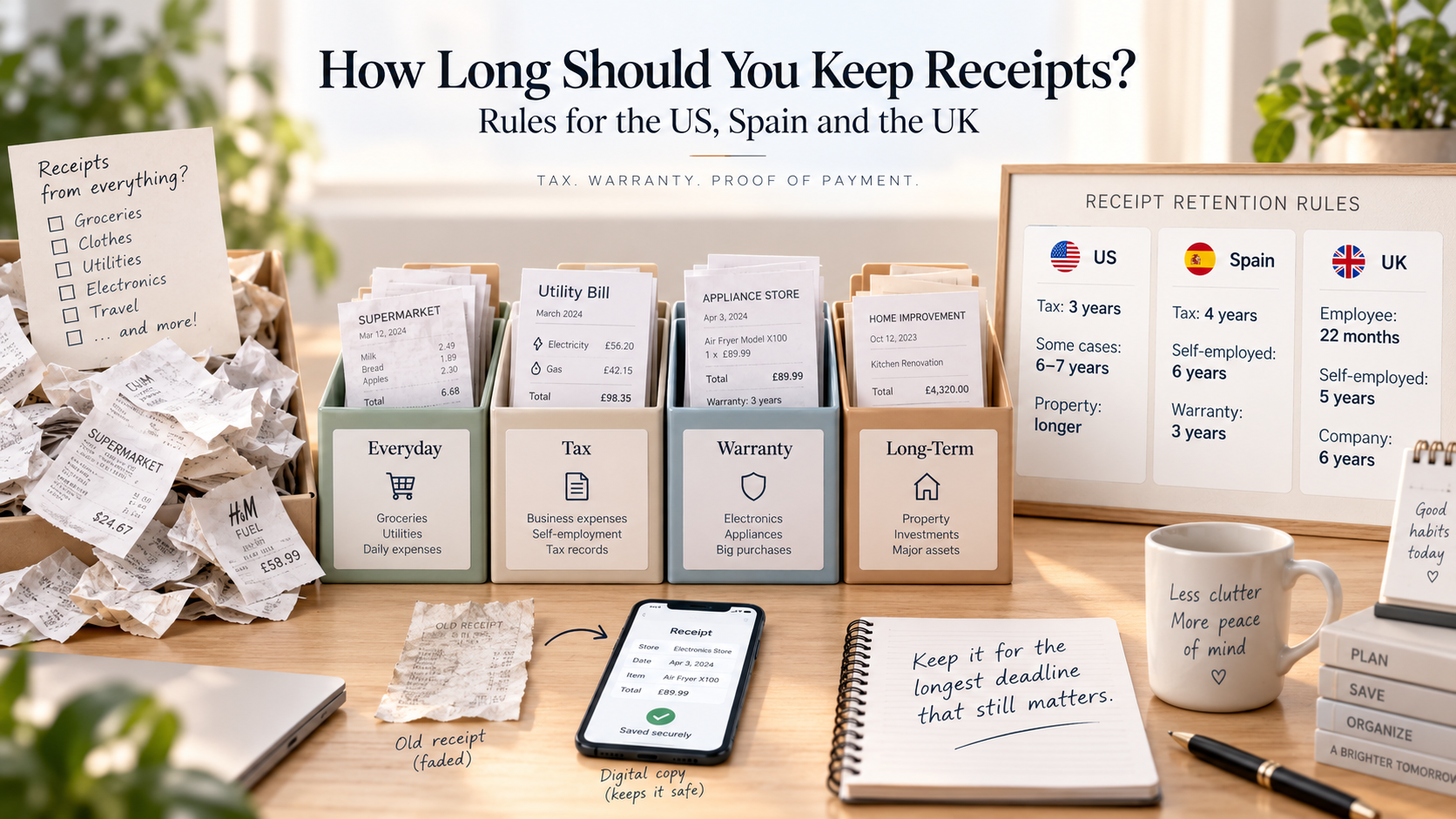
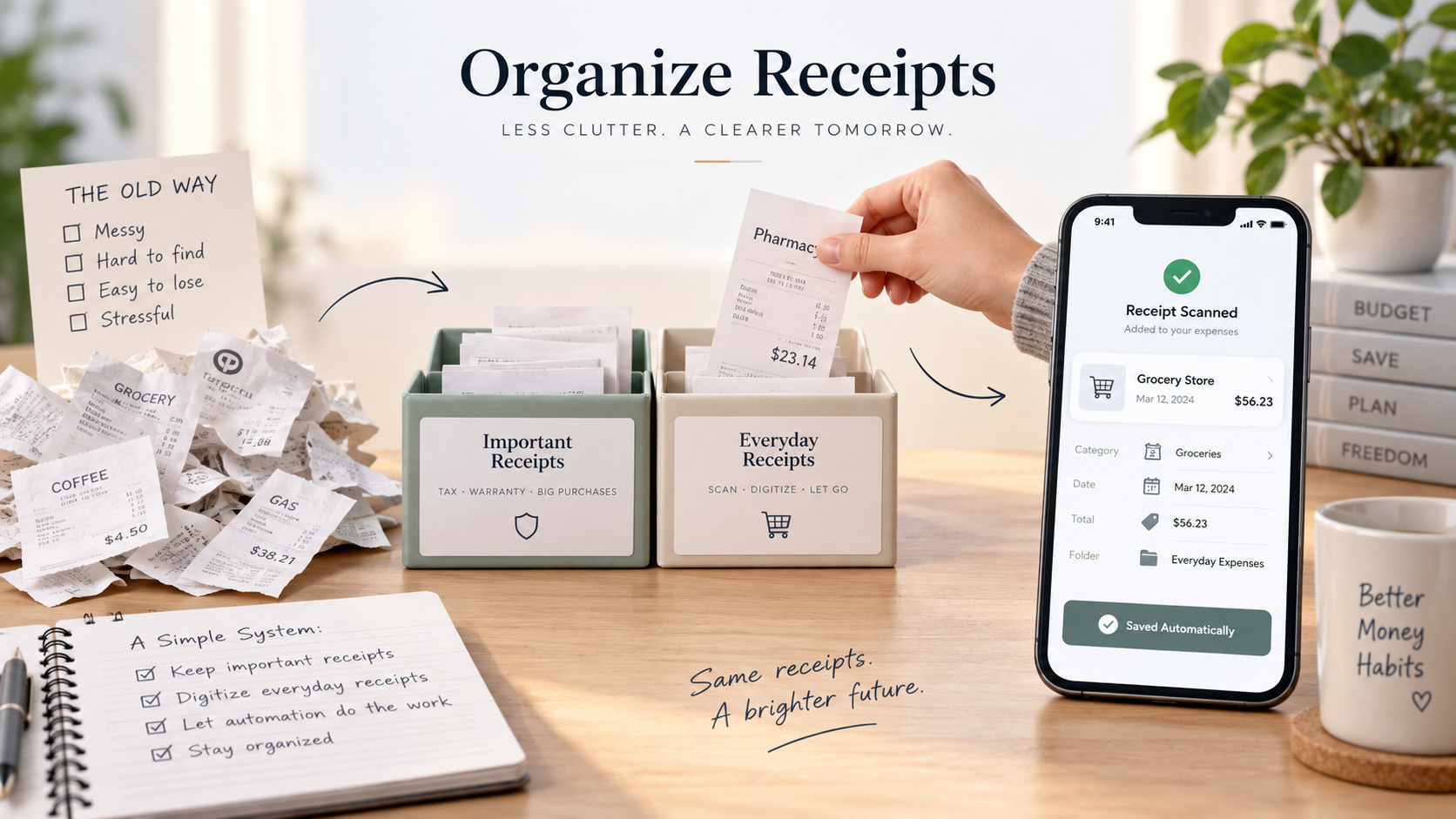
Most people throw away receipts right after buying something. I used to do the same. Then I needed to return a product, check whether a discount was applied correctly, and understand where my money was actually going. Over the years, I changed my receipt system several times. This article is the path from complete chaos to a simple digital system I still use today.
The short version
If you only need a simple receipt organization system, start here:
-
Take every receipt after purchase, at least until you understand whether it matters.
-
Throw away ordinary grocery receipts after recording the expense, unless they contain a returnable item.
-
Keep important paper receipts for products, warranty items, legal documents, business expenses, and large purchases.
-
Photograph or scan receipts before they fade, get lost, or become unreadable.
-
Store digital receipts in one predictable place: a folder, email label, or finance app.
-
Review your receipt storage once a month so it does not become another pile of paper.
-
Use a receipt scanner or budgeting app if you want to turn receipts into categorized expenses automatically.
That is the system in one minute. The rest of this article explains how I arrived there, what failed, and what I would recommend if you are starting from zero.
Why receipt organization matters
Receipts, invoices, payment confirmations, and small pieces of paper are easy to underestimate. They look unimportant until the moment you need proof: to return a product, check a warranty, confirm a payment, review a discount, or understand what was included in a purchase.
A bank transaction only tells you that you spent 22 euros, 135 dollars, or 420 hryvnias. It rarely tells you what you actually bought. Was it groceries? Household products? Clothes? Medicine? A gift? If you are trying to track expenses by category, that difference matters.
This was the first real reason I started keeping receipts. I did not want to record one vague expense called “supermarket.” I wanted to understand what was inside the purchase. Food, cleaning products, baby items, electronics, and clothes can all be in the same store receipt, but they are not the same type of expense.
The common problem: we keep receipts badly or not at all
My old habit was simple: I took the receipt because refusing it felt awkward, threw it into the shopping bag, and then threw it away at home. Sometimes I did not even look at it.
That worked until it did not. For example, I would buy something because of a promotion, then later see the bank charge and think: “Wait, this should have been cheaper.” Maybe the discount did not apply. Maybe I misunderstood the label. Maybe the cashier made a mistake. But without the receipt, there was nothing to check.
The same issue appears with returns. If you buy a mixer, headphones, a toy, a heater, or a piece of clothing, the receipt may matter weeks later. For food, it probably does not. For something that should last months or years, it can become important very quickly.
My receipt system changed in six stages
The biggest improvement was not finding one perfect app. It was understanding that receipt organization evolves. My system changed every time the old one became too messy or too slow.
|
Stage |
What I did |
Why it was not enough |
|
1. Taking receipts |
I started bringing every receipt home instead of throwing it away immediately. |
It helped with budgeting, but I still had no storage system. |
|
2. Keeping paper receipts |
I kept receipts for products that could be returned or repaired. |
Paper started accumulating quickly. |
|
3. Sorting by month |
I placed receipts into files by month. |
It was easier than one big pile, but search was still slow. |
|
4. Prioritizing important receipts |
I separated ordinary receipts from important ones: electronics, expensive purchases, warranties, documents. |
The system worked, but the folder kept growing. |
|
5. Adding digital storage |
I started saving email receipts, PDFs, tickets, and online invoices in labels and folders. |
Now I had both paper and digital receipts in different places. |
|
6. Scanning and automation |
I began photographing receipts and using AI to understand items and categories faster. |
This became the first system that felt sustainable. |
Stage 1: simply taking the receipt
The first step was almost embarrassingly simple: I started taking receipts and bringing them home. At that point, I did not have a clever storage system. I only needed the receipt long enough to enter the expense into my budget.
For basic personal finance, this is already a big improvement. Instead of guessing what was inside a card payment, I could open the receipt and enter the actual items or at least the correct category.
Stage 2: keeping paper receipts for returnable items
The next problem appeared when I noticed that not every store purchase was just food. Sometimes the same receipt included something more valuable: a blender, clothes, a toy, a home item, or electronics. These are not products you consume in two days. They can break, fail, or need to be returned.
That is when I created my first rule: ordinary food receipts can be discarded after recording the expense, but receipts with returnable or warranty-related items should be kept physically, at least for a while.
Stage 3: sorting receipts by month
After several months in a new apartment, the receipt drawer turned into a small archive of chaos. One receipt had a heater. Another had a long supermarket list plus a mixer. Another was from last year for headphones I no longer used. The receipt for a phone was there too, but it was wrinkled and hard to find.
So I started sorting receipts by month. I used a simple folder with plastic files. This did not solve everything, but it turned one large mess into smaller monthly sections. If I needed something from March, at least I knew where to start.
Stage 4: separating important receipts from ordinary ones
Monthly sorting was useful, but it still treated all receipts as equal. A grocery receipt and a phone receipt should not live with the same level of importance.
So I added a second layer: ordinary receipts and important receipts. Important receipts included large purchases, electronics, car-related documents, payments I might need to prove later, and anything connected to a warranty or future service.
This was the first version of the system that felt controlled. The folder was growing, but at least it was not random anymore.
Stage 5: adding digital receipts
Then online purchases made the system more complicated. Some receipts were no longer paper. They were in Gmail, PDFs, booking confirmations, HTML pages, app subscriptions, train tickets, and invoices from different services.
At first, I relied on email search. That worked until I actually needed a receipt and could not find it quickly. So I started adding a Gmail label for receipts and saving important files separately. The file format did not matter much. PDF, screenshot, email, or web page: the point was to keep proof of payment and enough details for accounting or budgeting.
Stage 6: scanning receipts and using automation
My current system is the point where I feel I do enough without overcomplicating my life. Personal receipts and project-related receipts are stored separately. Important receipts are kept both physically and digitally. Low-value receipts are photographed, recorded, and thrown away.
This changed the way I track expenses. A photo of a receipt is usually enough for personal budgeting because it gives me the details I need: date, store, total amount, and line items. For returns or legal proof, I still keep the original when it matters. A photo may help, but it is not always accepted as an official document.
The real bottleneck became manual entry. I would sit with a receipt in my hand or a photo on my phone and enter items line by line. I often had to convert currencies, decode strange abbreviations, and decide which category each item belonged to. When I moved to another country, it became even harder because the receipts were in a language I did not fully understand.
A practical receipt organization system for personal use
If I had to start again today, I would not begin with a huge archive. I would use a simple decision system.
1. Decide whether the receipt is ordinary or important
Ordinary receipts are usually small everyday purchases: groceries, snacks, coffee, household basics, or items you are unlikely to return. Important receipts are connected to warranties, returns, taxes, business expenses, expensive products, travel, insurance, rent, legal documents, or services you may need to prove later.
2. Keep important paper receipts physically
For important receipts, I still keep the original paper version when possible. Paper receipts can fade, so I also take a photo or scan them. But for warranties and returns, the original can still be useful.
3. Photograph ordinary receipts before throwing them away
For everyday purchases, I usually only need the data for budgeting. A photo is enough to record the amount, date, store, and categories. After that, keeping every piece of paper does not add much value.
4. Store digital receipts in one predictable place
The exact tool matters less than consistency. Use one email label, one cloud folder, one local folder, or one finance app. The problem is not whether you choose Google Drive, Gmail, Dropbox, or another system. The problem is having receipts scattered across all of them without a rule.
5. Review once a month
Receipt systems fail when they become invisible. Once a month, remove receipts you no longer need, move important ones to a better place, and make sure expenses are recorded. This takes less time than searching through a year of paper later.
Paper receipts vs digital receipts
Paper receipts are still useful for returns, warranties, and situations where a seller expects the original document. But they are bad for search, storage, and long-term readability. They fade, tear, and disappear.
Digital receipts are easier to search, back up, and connect to budgeting. They are better for everyday personal finance. The best system is usually hybrid: keep originals only when they matter, but digitize everything useful before it disappears.
How receipt organization helps with budgeting
Budgeting becomes easier when receipts turn vague transactions into real categories. A bank statement says “supermarket.” A receipt says groceries, cleaning products, baby items, pet food, medicine, and maybe a small appliance. Those are different financial categories.
This is where receipt management becomes more than document storage. It becomes a way to understand spending. You can see not only how much you spent, but what created that total.
Where AI fits into receipt management
This is the reason I started building Vtrata, an AI-powered personal finance tracker. I did not want another app where I had to manually type everything. I wanted a tool that could scan a receipt, recognize the items, suggest categories, and turn a long paper receipt into structured expense data in a few seconds.
The goal is not to keep receipts forever. The goal is to extract useful information from them while it still matters. Once the receipt has been scanned, categorized, and saved, it becomes much easier to manage spending without keeping piles of paper.
For me, this was the natural next step: from throwing receipts away, to storing them, to organizing them, to digitizing them, and finally to letting AI handle the boring part.
Final thoughts
You do not need to become a perfectly organized person to manage receipts well. You only need a small system that matches the value of the receipt.
Keep important receipts. Photograph ordinary ones. Store digital receipts in one predictable place. Review everything regularly. And if manual entry becomes the reason you stop budgeting, use automation instead of forcing yourself to do work you already know you will avoid.
A good receipt system should not make your life more complicated. It should help you return products, check payments, understand spending, and keep your financial data clean with as little effort as possible.